
Skip to content
Atlantics
Menu

Appointment booking

Appointment system: your clients book on their own and get a reminder

They see your free hours, book from their phone and confirm or cancel the day before. You see each professional's schedule in one place.

  • Sample data, no sign-up
  • Ready today with Epic or custom
  • René or Rodrigo replies

How do you book appointments today? One tap and you finish the sentence

René or Rodrigo replies in under 30 minutes, Monday to Friday, 9 am to 6 pm.

Companies already running on systems we built

Unilever
Amorati
Creditice
HunVital
Nuba
PureLife
Química
Twynco
URA
VPM
WONU

Sound familiar?

What happens when appointments are kept by hand

“They didn't show up and nobody reminded them”

The slot of whoever doesn't come is lost, and nobody had time to confirm the day before.

With Atlantics: the day before they get a reminder to confirm or change, and if they cancel the hour is free again.
“We answered late and they went elsewhere”

The front desk answers WhatsApp and calls all day just to give times.

With Atlantics: the client sees the free hours and books on their own, day or night.

“Two appointments at the same time”

Appointments go in a notebook or Excel and two people arrive at the same time.

With Atlantics: the schedule won't book the same hour twice with the same professional.

Something else going on? Tell us and we'll tell you how it would work.

Recorded on our computer

This is how it really looks

Not a drawing: Atlantics' appointments base running with sample data. A client books from their phone, the appointment shows in the schedule, reminders go out and whoever cancels frees their hour. In real time, not sped up.

What it is
Atlantics' appointments base
Data
Sample
Speed
Real time
Where
On our computer

Two ways

Ready today, or built around your business

Ready today · Epic

Your website with a schedule and an assistant that answers

For a practice, a salon or a workshop with one schedule. Your clients ask on your site and book in your calendar.

  • Your business website with your services
  • Schedule with free hours
  • Try it 14 days, no card
Create your free site on Epic
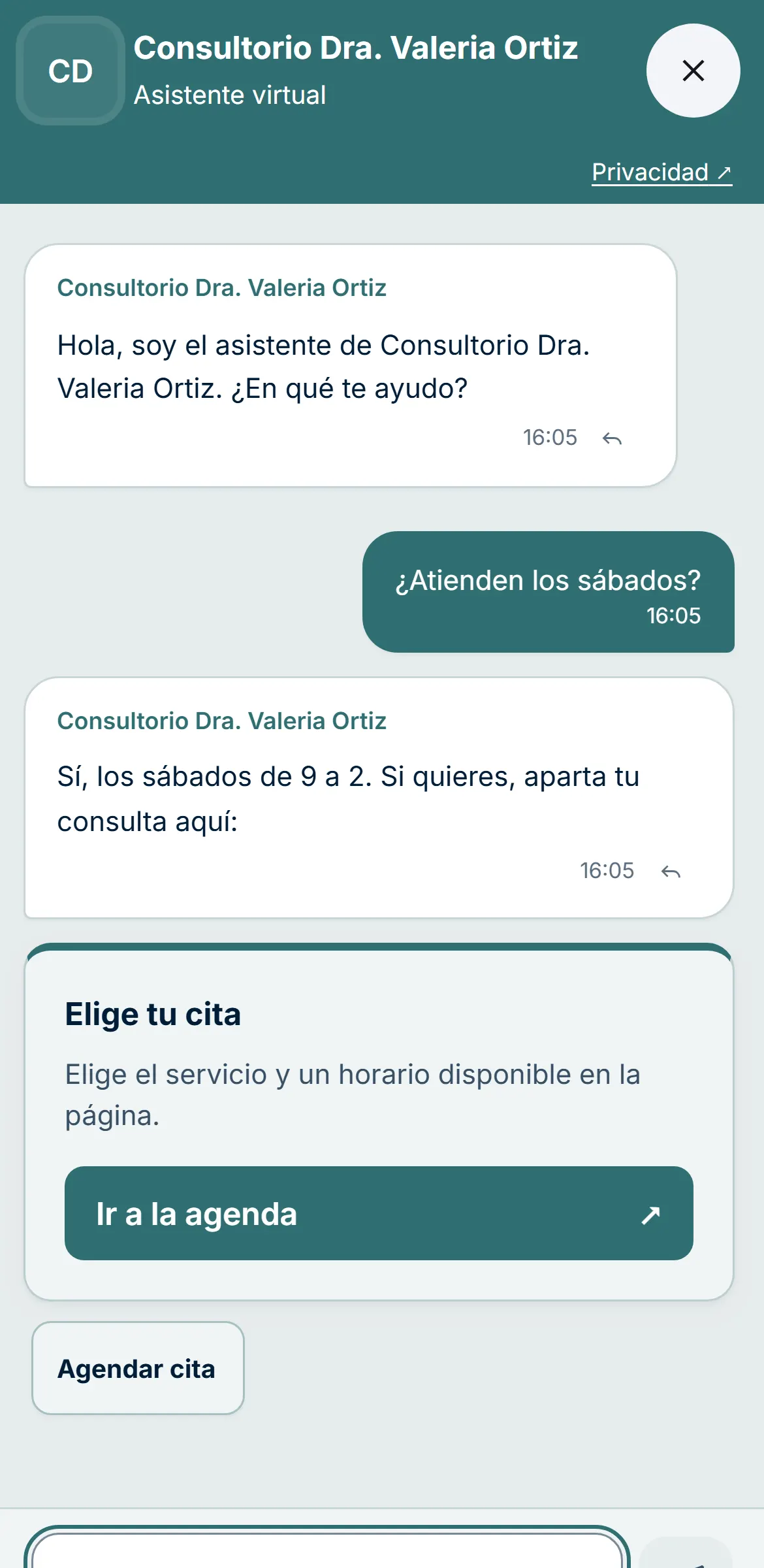
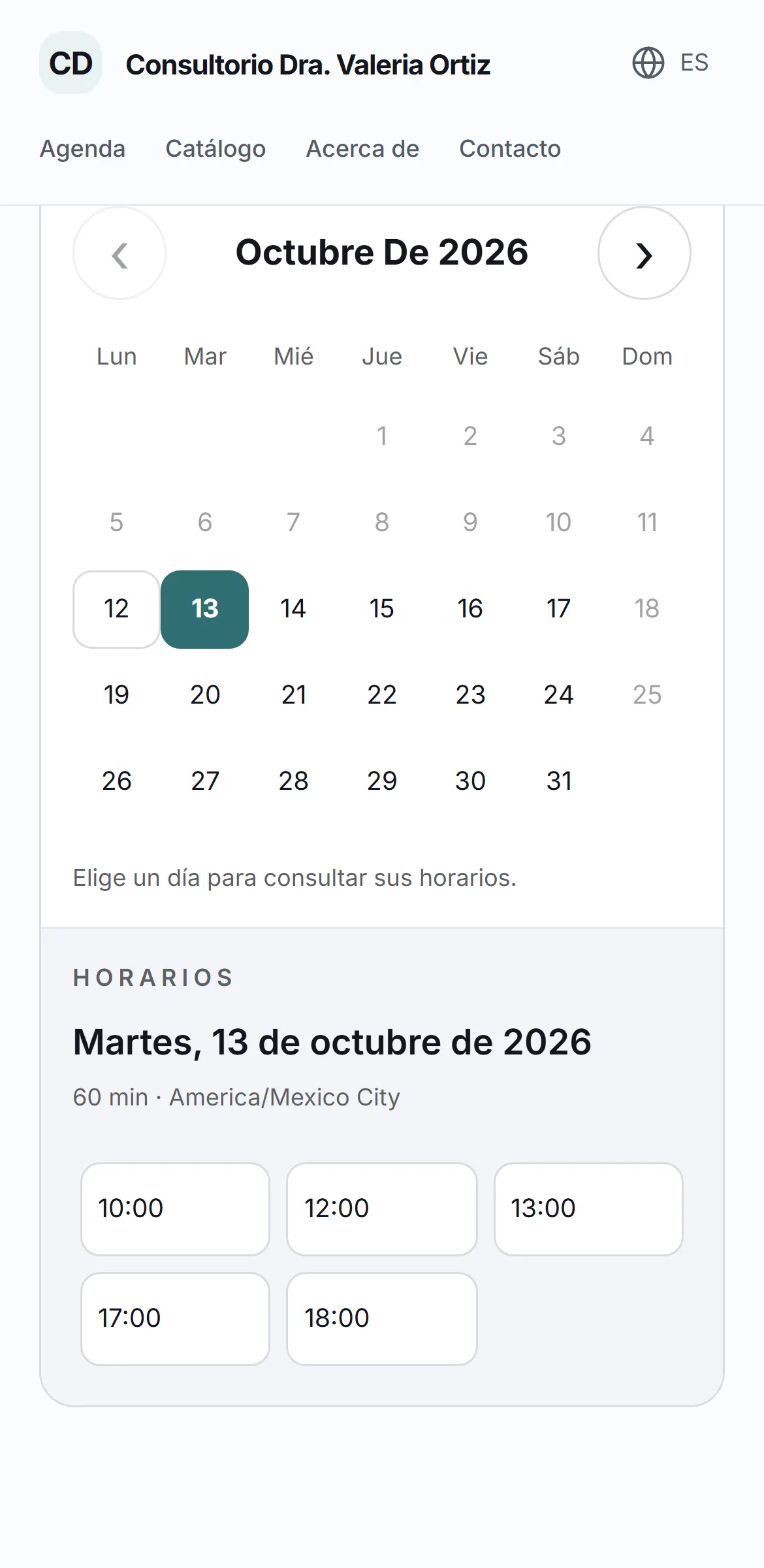
Real Epic screenshot: a practice's assistant answers and leads to the scheduleReal Epic screenshot: calendar with a practice's free hours
Custom · Atlantics

Your appointment system, in 1 to 3 weeks

When your schedule has rules: several professionals or branches, a deposit to book, records or reminders from your WhatsApp Business.

  • Schedule per professional and per branch
  • Reminder the day before, to confirm or change
  • Deposit to book
  • Connected to your records, your till or your reports
Tell us your case

The Epic screenshots are from the real product, on its sample page for practices. If Epic is enough, we tell you at the advisory.

How everything connects

Every appointment reaches one schedule, and from there whoever attends it

In

  • Your website or your linkthe client sees free hours and books
  • Your website's chatanswers questions and leads to the schedule
  • Front deskbooks what comes in by phone
  • Your WhatsApp Businessif we connect it, from there too

Your schedule

One appointment per hour, per professional

It won't book the same hour twice and frees the hour when someone cancels.

On your server or in the cloud, backed up daily

Out

  • Reminder to the clientthe day before, to confirm or change
  • Each professionaltheir day's schedule on the phone
  • Front deska warning of free slots to fill
  • The ownerappointments, no-shows and free hours of the week

What connects depends on your systems: we check before quoting.

Try it

Ask the schedule of a sample clinic

Sample data: nothing is saved or sent.

In the clinic's schedule

  • Professionals2
  • Hours a week80
  • Tomorrow's remindersReady to go

Tap a question:

Seven people. The first ones: Marta S. at 9:00 and Jorge L. at 11:00 with Dr. Méndez, and Iván H. at 12:00 with Dr. Ruiz. Their reminder goes out today.

From tomorrow's 10 appointments

  • 9:00 · Marta S. · Filling · Dr. Méndez
  • 11:00 · Jorge L. · Cleaning · Dr. Méndez
  • 12:00 · Iván H. · Cleaning · Dr. Ruiz

Your system works the same way: you ask on screen or on WhatsApp and it answers with your schedule.

Weeks, not months

1 to 3 weeks, depending on how you attend

We don't start from zero: we start from our appointments base and fit it to your services, your hours and your people.

  1. Week 1

    Your clients are booking

    Your services, hours and professionals loaded; your booking link ready.

  2. Week 2

    Reminders and a schedule per professional

    The reminder goes out the day before and each person sees their day.

  3. Week 3

    Branches and connections

    Several branches, a deposit to book or your records, if you need them.

We give you the exact time in writing at the advisory, before starting.

The size of your business

We build it around how you attend

One practice

One schedule, your services and reminders. Used by you and the front desk.

Several professionals

Plus: a schedule per person, each with their own hours and services.

Several branches

Plus: a schedule per branch, a deposit to book and reports for all of them.

The cost depends on how many schedules, branches and connections it has. We go over it with you at the advisory, before building anything.

Work out what booking appointments by hand costs you today

Not sure about the pay? We left MXN 12,000 as an example; change it if you like.

Booking the appointments costs you today

A monthMXN 9,000
Your team's hours a month132 h
A yearMXN 108,000

What would change: appointments book themselves at any hour and nobody stops what they are doing to answer.See how we did it

Show me how it would work in my business

An estimate with your numbers: hours = people × hours a day × 22 days; cost an hour = pay ÷ 176.

Frequently asked questions

What people ask about this task

How much does an appointment booking system cost?

It depends on how many people use it, what gets connected and the rules of your business. First you get a free initial analysis; then an advisory with a set price reviews your operation and defines the scope; development is quoted last, with deliveries you can review.

Can appointments be booked by WhatsApp?

Yes. People message the business's WhatsApp, get the open times and book right there. Reminders go out from the business's official WhatsApp Business account.

How long does it take?

It depends on what gets connected: a schedule alone is not the same as a schedule with payments and records. We agree on it in the advisory, with deliveries you review before using it with clients.

Does it work for several branches or doctors?

Yes. Each doctor or branch has its own hours and rules, and the front desk sees every schedule in one place.

What happens to my patients' data?

It is stored in your system and only your team sees it. If the schedule connects to your medical records, we review with you what NOM-024 requires before building.

Can I take a deposit when they book?

Yes, by card or cash at a store. The payment is tied to the appointment and the front desk sees it in the schedule.

How do you book appointments today?

Write it the way you would tell someone. René or Rodrigo replies in under 30 minutes, Monday to Friday, 9 am to 6 pm.